
OPERATIONS GUIDE
Warranty Management for Product Sellers: A Practical System
A scalable warranty program starts before the first support request. The seller needs a reliable record of what was sold, which policy applied, when coverage began, who issued it, and how every later decision was resolved.
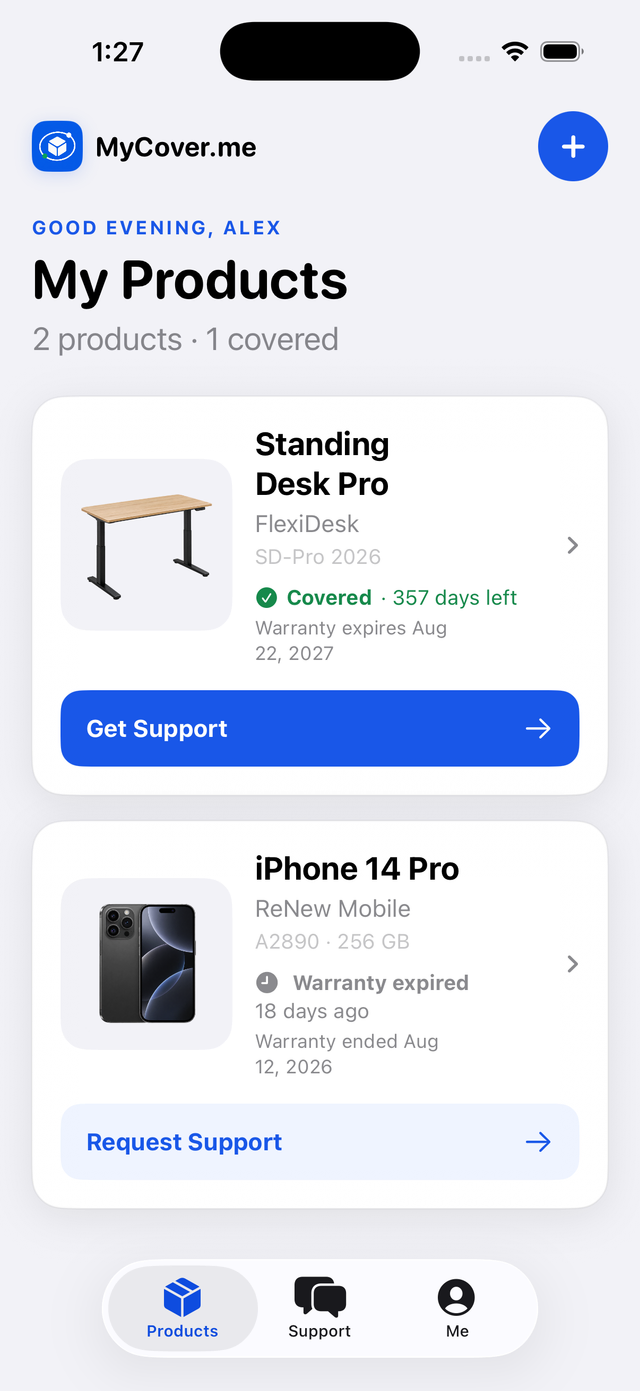
Treat coverage as a durable entitlement created from the sale and policy—not as a form the buyer must complete later.
Start with the right operating model
The most common warranty-management mistake is storing a registration row and calling it the warranty. Registration, ownership, coverage, support, and claims answer different questions and should remain separate.
A commerce order can create a coverage entitlement while ownership is still unclaimed. If the buyer links the product three months later, the original policy start date remains intact unless the actual warranty terms lawfully say otherwise.
- Order: what was purchased, where, when, and for how much.
- Product instance: the specific physical item, serial, IMEI, or merchant item identity.
- Coverage entitlement: issuer, policy version, start date, end date, and verification provenance.
- Ownership: who currently controls the product record and how that link was verified.
- Support case and warranty claim: the service conversation and, only when needed, the eligibility decision.
Build one repeatable workflow
- 1Import the sale
Bring in order ID, channel, SKU, purchase date, customer reference, price, and serial when available.
- 2Apply the correct policy
Select the policy version that applied at the time of sale and calculate dates deterministically.
- 3Create the entitlement
Record coverage before the buyer registers, with the actual issuer and verification source.
- 4Link the buyer safely
Use a private QR, verified order recovery, serial plus evidence, or merchant-assisted linking.
- 5Resolve with context
Attach every message, repair, part, replacement, refund, and shipment to the product timeline.
Make the buyer experience product-first
Buyers do not think in warranty record numbers. They want to know what they own, whether it is covered, who supports it, and what happens next. Show product name, model, purchase date, masked identifier, coverage status, expiration date, issuer, and one clear support action.
Never ask for an order number, purchase date, or warranty number again when the linked product record already contains it. If coverage has expired, keep Request Support available and let the seller offer troubleshooting, paid repair, a part, discounted replacement, store credit, or goodwill service.
Measure operational outcomes, not vanity volume
- Time to first useful response—not merely time to an automated acknowledgement.
- Percent of cases arriving with product, order, coverage, and evidence attached.
- Resolution time by issue category, SKU, and remedy.
- Repeat failure rate after repair or replacement.
- Cost per resolved product issue and percentage solved through safe troubleshooting.
FAQ
Frequently asked questions
Does a buyer have to register before warranty coverage exists?
Not necessarily. If the sale and applicable policy are known, coverage can exist before registration. Registration or ownership claiming links the buyer to that existing entitlement.
Should expired products disappear from the system?
No. The service history remains valuable, and the seller can still offer paid repair, parts, goodwill, or replacement options.